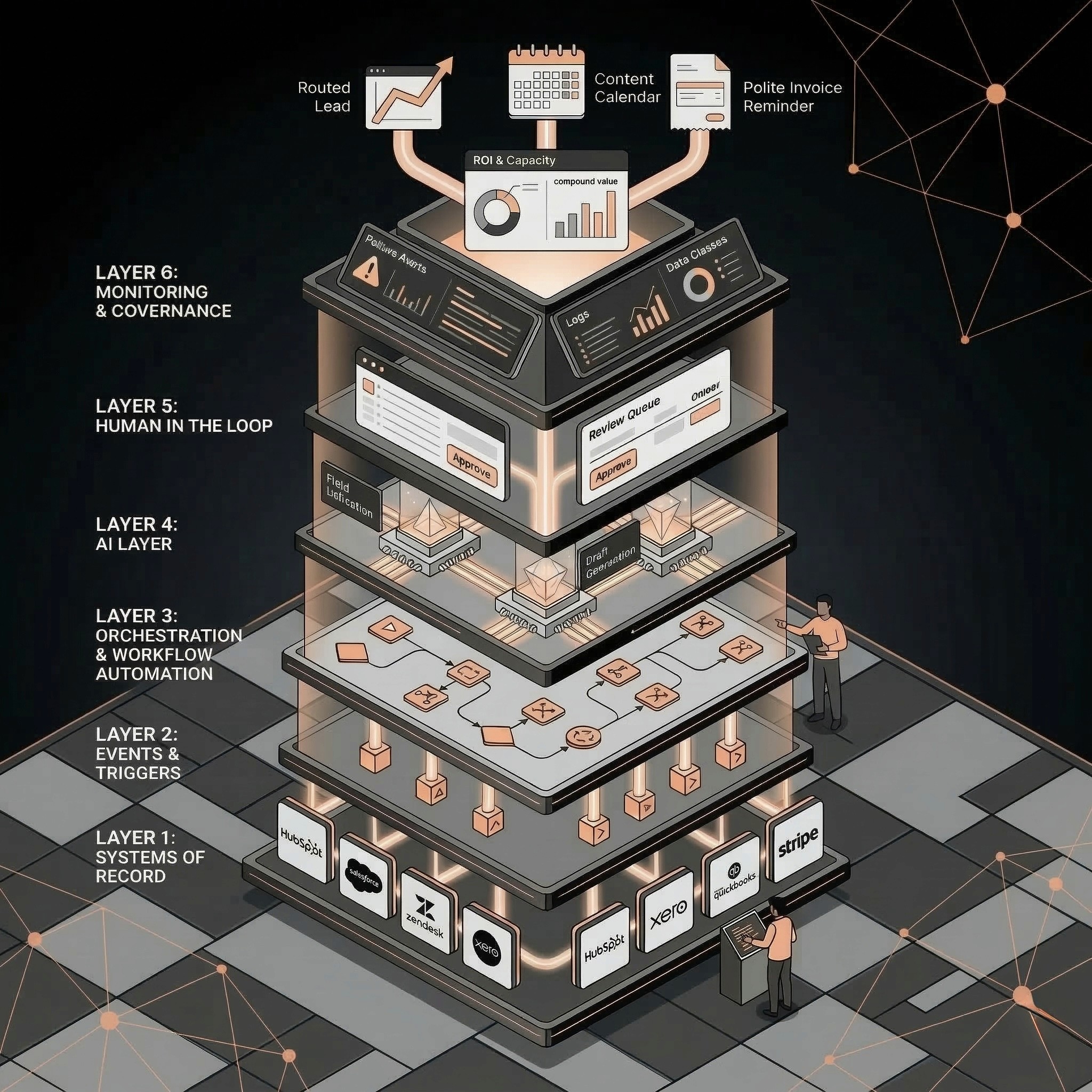
AI lead follow-up automation captures a new lead, enriches company and contact context, scores fit, drafts a relevant first response, routes the lead to the right owner, and updates the CRM. The safest version keeps humans in control for high-value, ambiguous, or sensitive deals while automating the first operational steps.
Sales
Have a workflow to improve?
Discuss an automation project
Working on post-call CRM? Run the free readiness check
AI lead follow-up automation captures a new lead, enriches company and contact context, scores fit, drafts a relevant first response, routes the lead to the right owner, and updates the CRM. The safest version keeps humans in control for high-value, ambiguous, or sensitive deals while automating the first operational steps.
Lead follow-up is one of the few SMB workflows where minutes can change revenue outcomes.
If a qualified buyer fills out a form and waits until tomorrow, AI cannot recover the lost urgency. If the same buyer gets a relevant reply in 60 seconds, the team starts the conversation while intent is still fresh.
The goal is not to let AI close deals. The goal is to make sure no good lead dies in the first five minutes.
What AI Lead Follow-Up Automation Does
AI lead follow-up automation connects the first buyer signal to a controlled sales workflow.
It can:
• Capture new form, chat, referral, ad, or inbound-email leads.
• Enrich the company and contact record.
• Identify use case, urgency, region, company size, and likely fit.
• Route the lead to the right owner or queue.
• Draft a first reply.
• Create CRM tasks.
• Update lifecycle, source, persona, and workflow fields.
• Alert the team when the lead needs human attention.
• Log the outcome for reporting.
The best workflows combine deterministic rules and AI. Rules handle clear routing and field updates. AI handles interpretation, summarization, and drafting.
Why Speed to Lead Still Matters
Fast response is not only about being polite. It changes the operating reality of sales.
Fast follow-up helps because:
• The buyer still remembers the problem.
• Competitors may not have replied yet.
• The salesperson has fresher context.
• CRM data is captured before it goes stale.
• The team can route hot leads before they cool off.
AI helps when the bottleneck is not “writing the perfect email.” The bottleneck is the chain of small steps that happen before a human can respond: check form, research company, decide fit, assign owner, draft reply, update CRM, create task.
Workflow Map: From Form Fill to First Reply
Step: Lead arrives; Trigger or system: Form, chatbot, email, ad, referral; AI role: Parse message and requested workflow; Human control: None needed
Step: Enrichment; Trigger or system: CRM, website, enrichment source; AI role: Summarize company context and likely use case; Human control: Review if data is missing
Step: Fit scoring; Trigger or system: Rules plus AI classification; AI role: Classify urgency, segment, workflow, and quality; Human control: Sales reviews high-value leads
Step: Routing; Trigger or system: CRM owner rules; AI role: Recommend owner or queue; Human control: Override for named accounts
Step: First response; Trigger or system: Email or sales workspace; AI role: Draft reply using offer, context, and next step; Human control: Human approval for risky or high-value replies
Step: CRM update; Trigger or system: CRM workflow; AI role: Update fields, task, source, lifecycle, and notes; Human control: Human approval for destructive changes
Step: Reporting; Trigger or system: Dashboard; AI role: Summarize SLA and conversion; Human control: Sales lead reviews weekly
This workflow creates a measurable operating loop rather than a pile of AI-generated emails.
What AI Should Draft vs What Humans Should Approve
AI is useful for first drafts, not unchecked promises.
Good AI-owned tasks:
• Summarize the lead request.
• Classify the workflow type.
• Draft a first response.
• Suggest relevant proof or service page.
• Create internal notes.
• Recommend next step.
Human-approved tasks:
• Pricing promises.
• Scope commitments.
• Legal or security claims.
• Enterprise or strategic-account replies.
• Refunds, credits, or contract terms.
• Anything involving sensitive customer data.
Approval rules are not friction. They are what make the automation safe enough to use.
CRM Fields to Update Automatically
The CRM update is where lead follow-up automation becomes operational.
Useful fields:
• Lead source.
• First landing page.
• Latest landing page.
• Workflow type.
• Company size.
• Industry.
• Region.
• Urgency.
• Fit score.
• Owner.
• SLA deadline.
• First response sent.
• Next step.
• AI confidence.
• Human approval status.
Do not let AI write into every CRM field. Start with fields that improve routing, reporting, and follow-up quality.
Routing and Approval Matrix
Lead type: Clear-fit SMB inbound; AI action: Enrich, score, draft reply, assign owner; Human action: Approve or lightly edit reply; SLA target: 5 minutes
Lead type: Strategic account; AI action: Enrich, summarize, create priority task; Human action: Owner writes or approves response; SLA target: 15 minutes
Lead type: Low-fit lead; AI action: Route to nurture or lower-priority queue; Human action: Review only if requested manually; SLA target: Same day
Lead type: Ambiguous request; AI action: Ask clarifying question draft and flag uncertainty; Human action: Sales decides next step; SLA target: 30 minutes
Lead type: Pricing or security question; AI action: Summarize and route; Human action: Human responds; SLA target: 30 minutes
This keeps speed high without giving AI control over business commitments.
Metrics to Track
Metric: Median response time; Why it matters: Shows whether speed improved; First target: Under 5 minutes for qualified inbound
Metric: Lead assignment time; Why it matters: Shows routing health; First target: Under 1 minute for clear-fit leads
Metric: First reply approval rate; Why it matters: Shows draft quality; First target: 70 percent or higher after tuning
Metric: Qualified lead conversion; Why it matters: Shows business impact; First target: Compare against pre-automation baseline
Metric: CRM field completeness; Why it matters: Shows data quality; First target: 90 percent for required routing fields
Metric: Manual time saved; Why it matters: Shows efficiency; First target: Track weekly sales/admin hours
UseAI automation ROI calculatorto estimate whether the time savings and conversion lift justify the workflow.
Common Mistakes
Avoid these failure modes:
• Automating replies before defining lead qualification.
• Letting AI send pricing or scope promises without approval.
• Routing every lead to the same owner.
• Updating CRM fields without logging the source.
• Measuring email volume instead of revenue outcomes.
• Building the workflow outside the system sales actually uses.
The best lead follow-up automation is not the most autonomous. It is the workflow the sales team trusts enough to use every day.
Related Resources
• AI sales automation:AI sales automation
• AI RevOps and CRM automation:AI RevOps and CRM automation
• AI automation for SMBs:AI automation for SMBs
• AI CRM cleanup automation:AI CRM cleanup automation
• AI Operator role:AI Operator
• AI operator vs AI agent:AI Operator vs. AI agent
• AI automation ROI calculator:AI automation ROI calculator
• AI automation audit checklist:AI automation audit checklist
FAQs
What is AI lead follow-up automation?
AI lead follow-up automation uses rules and AI to capture a new lead, enrich context, score fit, route ownership, draft a first response, update CRM fields, and alert the sales team.
Can AI follow up with leads automatically?
AI can draft or send some replies, but high-value, ambiguous, or sensitive leads should stay human-approved. The safest SMB workflow uses AI for speed and context while keeping humans responsible for promises.
What should stay human in sales automation?
Pricing, scope, legal claims, sensitive account handling, enterprise deals, and unusual requests should stay human-approved. AI should help prepare and route the work, not own business commitments by default.
How fast should leads be contacted?
For qualified inbound leads, the target should be minutes, not hours. Many SMBs can start by aiming for first internal routing within one minute and first human-approved reply within five minutes.
How do I connect AI follow-up to a CRM?
Start by defining required fields, owner rules, routing logic, and approval status. Then connect the form or inbox to the CRM workflow and log each AI-generated summary, task, and draft.
Discuss your automation project
Share your workflow, current tools, and desired outcome. This is a project enquiry, not a booked audit or a paid pilot application. Any implementation scope and cost are agreed separately.