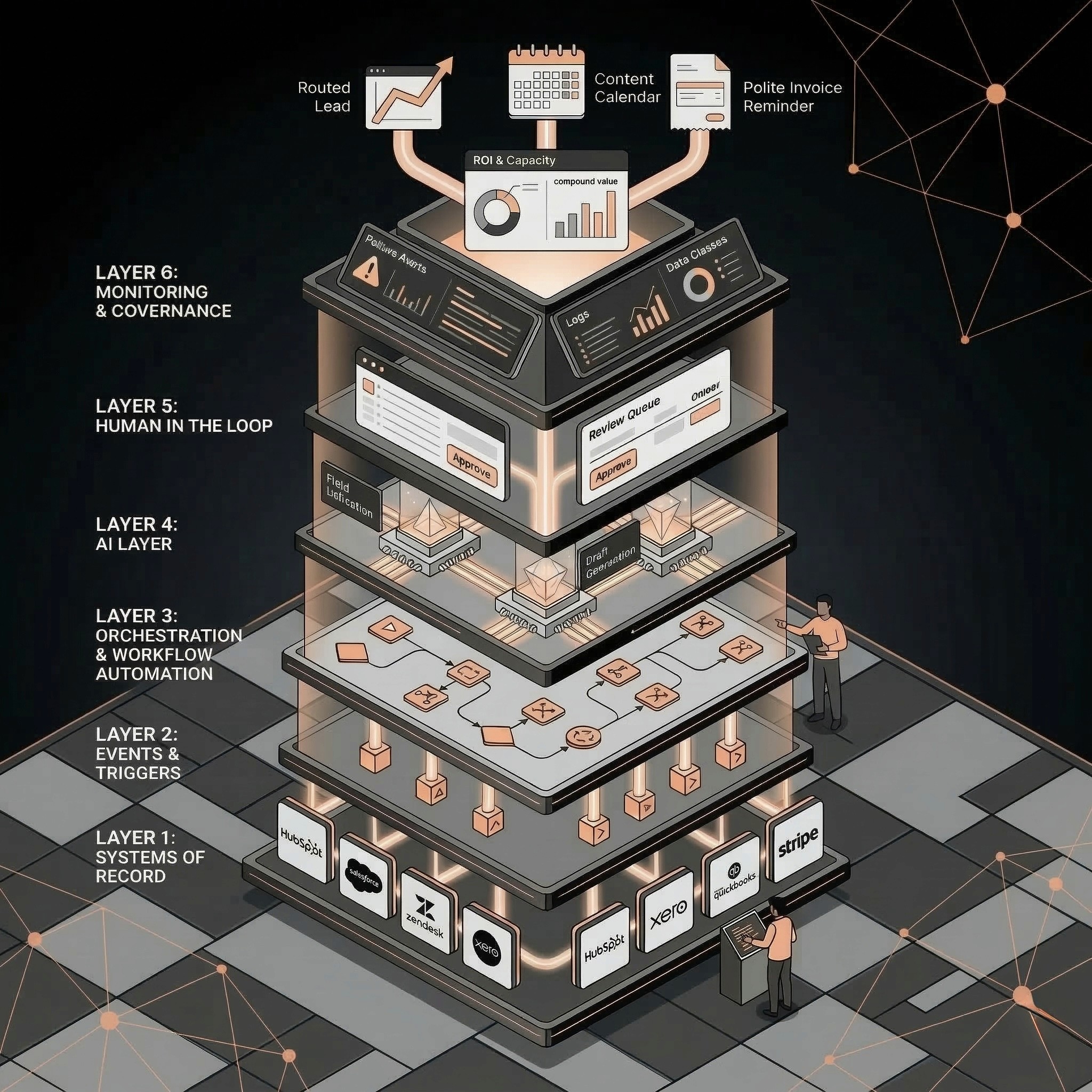
AI agent governance means defining what an agent can access, what it can change, when human approval is required, how actions are logged, and what happens when the agent is wrong. SMBs need lightweight governance before connecting agents to CRM, finance, support, customer communication, or document workflows.
Automation
Have a workflow to improve?
Discuss an automation project
Working on post-call CRM? Run the free readiness check
AI agent governance means defining what an agent can access, what it can change, when human approval is required, how actions are logged, and what happens when the agent is wrong. SMBs need lightweight governance before connecting agents to CRM, finance, support, customer communication, or document workflows.
The risky part of an AI agent is not that it thinks. It is that it acts.
Once an agent can update a CRM, send an email, route a ticket, issue a refund, change a field, or summarize a contract, governance stops being enterprise theater. It becomes basic operational hygiene.
The Five Permission Levels
Level: 1; Agent capability: Read-only; Example: Summarize CRM record or document; Governance requirement: Source visibility and citation
Level: 2; Agent capability: Draft-only; Example: Draft email, note, proposal, or task; Governance requirement: Human approval before send/update
Level: 3; Agent capability: Low-risk update; Example: Add tag, create task, fill non-critical blank field; Governance requirement: Logs and review sampling
Level: 4; Agent capability: High-impact update; Example: Change owner, lifecycle, deal, customer status; Governance requirement: Explicit human approval
Level: 5; Agent capability: External action; Example: Send message, issue refund, approve payment; Governance requirement: Human approval and audit trail
Most SMBs should start at levels 1-2. Move upward only after accuracy, adoption, and review rules are proven.
Human Review Rules
Human approval should be required when an agent:
• Sends customer-facing messages.
• Changes pricing, discounts, or terms.
• Merges or deletes records.
• Updates strategic account ownership.
• Changes contract, invoice, payment, or legal fields.
• Handles sensitive support issues.
• Acts below the confidence threshold.
• Encounters missing or conflicting data.
Human review is not a sign that automation failed. It is the control that lets automation run safely.
Permission Owner Matrix
AI agent governance should name the human owner for each permission, not just the tool owner. The CRM admin can configure fields, but sales leadership owns deal-risk rules. Finance owns invoice approval. Customer success owns escalation language. Operations owns whether a workflow is ready to run without daily review.
Permission area: CRM field updates; Business owner: RevOps or sales lead; Technical owner: CRM admin; Review cadence: Weekly until stable
Permission area: Customer messages; Business owner: Department manager; Technical owner: Workflow owner; Review cadence: Daily sample review
Permission area: Finance fields; Business owner: Finance lead; Technical owner: Systems admin; Review cadence: Every run or batch
Permission area: Support triage; Business owner: Support/CS lead; Technical owner: Helpdesk admin; Review cadence: Weekly sample review
Permission area: Document extraction; Business owner: Ops or finance lead; Technical owner: Automation owner; Review cadence: Exception review
Permission area: Agent prompts and rules; Business owner: Workflow owner; Technical owner: AI operator; Review cadence: Versioned change review
This prevents the common failure mode where the person who can configure the automation becomes the accidental owner of business risk.
Audit Log Checklist
Every agent action should record:
• Workflow name.
• Trigger.
• Source data.
• Prompt or rule version.
• Action proposed.
• Action taken.
• Old value and new value.
• Confidence or reason code.
• Human reviewer.
• Approval status.
• Timestamp.
• Rollback path.
If you cannot reconstruct what happened, the workflow is not ready for production.
Governance by Workflow Type
Workflow: Sales follow-up; Agent can do: Draft reply, summarize lead, create task; Agent should not do alone: Promise pricing or scope
Workflow: CRM cleanup; Agent can do: Recommend duplicate, fill low-risk blank field; Agent should not do alone: Merge/delete records silently
Workflow: Customer success; Agent can do: Summarize account, flag risk, draft task; Agent should not do alone: Decide churn escalation alone
Workflow: Document processing; Agent can do: Extract fields, flag exceptions; Agent should not do alone: Approve payment or legal terms
Workflow: Support triage; Agent can do: Classify ticket, draft internal note; Agent should not do alone: Send sensitive reply unchecked
Workflow: Proposal automation; Agent can do: Draft proposal sections; Agent should not do alone: Approve timeline, discounts, legal terms
Governance should match workflow risk, not company size.
Incident Response Plan
When an agent makes a bad recommendation or action:
1. Stop or pause the workflow.
2. Identify affected records or messages.
3. Roll back incorrect changes where possible.
4. Notify internal owner.
5. Review source data and prompt/rule version.
6. Add new guardrail or approval rule.
7. Sample recent outputs before re-enabling.
Do not treat AI errors as one-off weirdness. Treat them as workflow feedback.
30-Day Rollout Model
Most SMBs should not launch agentic automation by asking, “What can the agent do?” They should ask, “What is the smallest useful action we can govern?”
Week: 1; Goal: Map one workflow and data sources; Governance output: Permission levels, owner list, blocked actions
Week: 2; Goal: Run read-only or draft-only outputs; Governance output: Sample review notes and failure patterns
Week: 3; Goal: Add low-risk updates; Governance output: Audit log, rollback path, confidence threshold
Week: 4; Goal: Expand or pause; Governance output: Approval matrix, incident rule, ROI decision
If the workflow cannot survive this staged rollout, it is not ready for higher permissions. That does not mean the idea is bad. It usually means the data, owners, or exception paths are not yet clear enough.
What AI Operator Owns
An internal tool owner can connect software. An AI operator owns the operating system around the agent: workflow selection, permissions, human review, prompt/rule versions, failure review, and ROI measurement. That is why governance belongs next to implementation, not as a compliance document written after launch.
For SMBs, the practical model is simple: start with one workflow, keep the agent at read-only or draft-only permissions, prove accuracy with real outputs, then promote specific actions one level at a time.
Related Resources
• AI automation for SMBs:AI automation for SMBs
• AI sales automation:AI sales automation
• AI RevOps and CRM automation:AI RevOps and CRM automation
• AI customer success automation:AI customer success automation
• AI document processing:AI document processing
• AI Operator role:AI Operator
• AI operator vs AI agent:AI Operator vs. AI agent
• AI agents vs RPA vs Zapier:AI agents vs. RPA vs. Zapier
• AI automation audit checklist:AI automation audit checklist
• AI automation ROI calculator:AI automation ROI calculator
FAQs
What is AI agent governance?
AI agent governance is the set of permissions, approval rules, logs, review processes, and rollback plans that define how an AI agent can act safely inside business workflows.
Do SMBs need AI governance?
Yes. SMBs need lightweight governance as soon as AI touches CRM records, customer messages, finance workflows, support tickets, contracts, or operational data.
What should AI agents not do without approval?
Agents should not send sensitive customer messages, approve payments, change legal terms, merge or delete records, issue refunds, or make strategic account decisions without human approval.
What should be logged for AI agent actions?
Log the trigger, source data, proposed action, final action, old and new values, reviewer, approval status, timestamp, and rollback path.
How should an SMB start with AI agent governance?
Start with read-only and draft-only workflows, add human approval rules, sample outputs weekly, and expand permissions only after the workflow proves reliable.
Discuss your automation project
Share your workflow, current tools, and desired outcome. This is a project enquiry, not a booked audit or a paid pilot application. Any implementation scope and cost are agreed separately.